Quick tipHow toService Hub

Manage inbox users and availability

Hours apply to inbox and help desk.

Subscription
All tiers; Away temporarily needs Service seat
Permissions
Inbox settings
Time
2 min · Intermediate
Last verified

Short answer

HubSpot's KB: add or remove team members per inbox and set working hours. Hours, out of office and status apply across inbox and help desk. A temporary Away overrides working hours and needs a Service seat.

1. In HubSpot

The relevant screen in my demo portal.
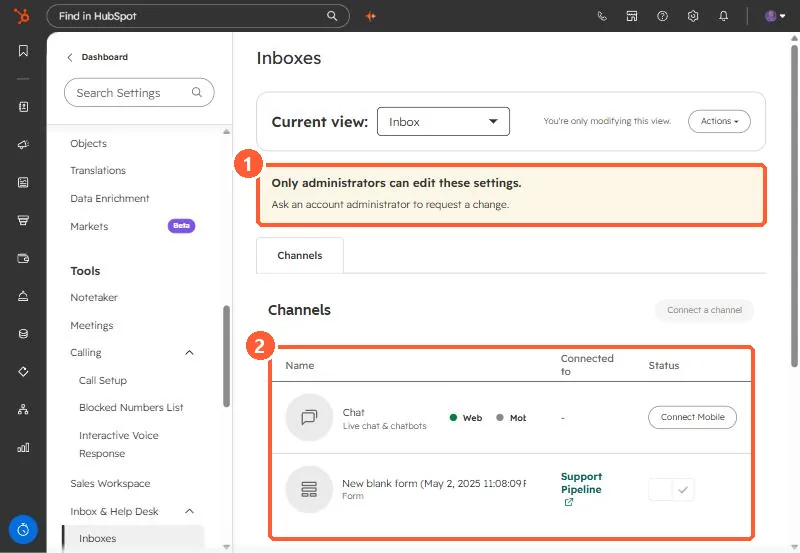
Inboxes settings with the admin banner and the channels table highlighted
Admin banner (1) and channels (2).

2. Worth knowing

Routing rules decide who gets conversations once people are in the inbox.

3. Related

Chat availability and out of office.

Sources

New field notes by email

One email when a new article publishes.

Still stuck?

If this did not fix it, the problem is probably specific to your setup. Book a call and we will look at it together.

Book a call with Sam