Quick tipHow toContent HubSmart CRM

Moving things between HubSpot accounts

There's no account merge. Templates copy; records move by export and import.

Subscription
All tiers
Permissions
Design tools in both accounts
Time
4 min · Intermediate
Last verified

Short answer

HubSpot's KB on copying design manager assets: copy whole theme folders between accounts; you can't copy single assets inside a theme folder. Your user must use the same email in both accounts. Marketplace purchases can only be in one account at a time; free ones can be copied freely.

1. Design manager

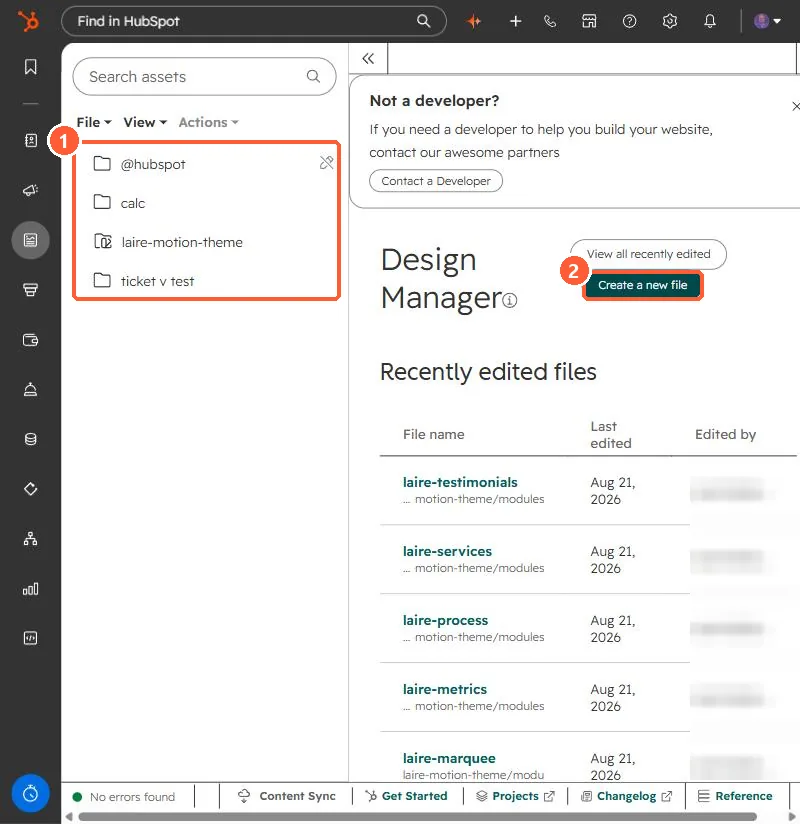
Theme folders in my demo portal.
Design Manager file tree with theme folders and a Create a new file button
Theme folders (1) and Create a new file (2).

2. Records

Plan imports carefully. See importing contacts and companies together.

3. Related

Multi-account management.

Sources

New field notes by email

One email when a new article publishes.

Still stuck?

If this did not fix it, the problem is probably specific to your setup. Book a call and we will look at it together.

Book a call with Sam