Quick tipHow toSmart CRM

Sync Outlook contacts with HubSpot

Choose one-way or two-way.

Subscription
Check app requirements
Permissions
Super Admin or App Marketplace access
Time
2 min · Intermediate
Last verified

Short answer

HubSpot's KB: data sync keeps contacts consistent between HubSpot and your personal Outlook contacts folder. Choose one-way to HubSpot, one-way to Outlook, or two-way, with criteria for which contacts are created. The integration has 14 default mappings that can't be edited; you can add new field mappings.

1. In HubSpot

The relevant screen in my demo portal.
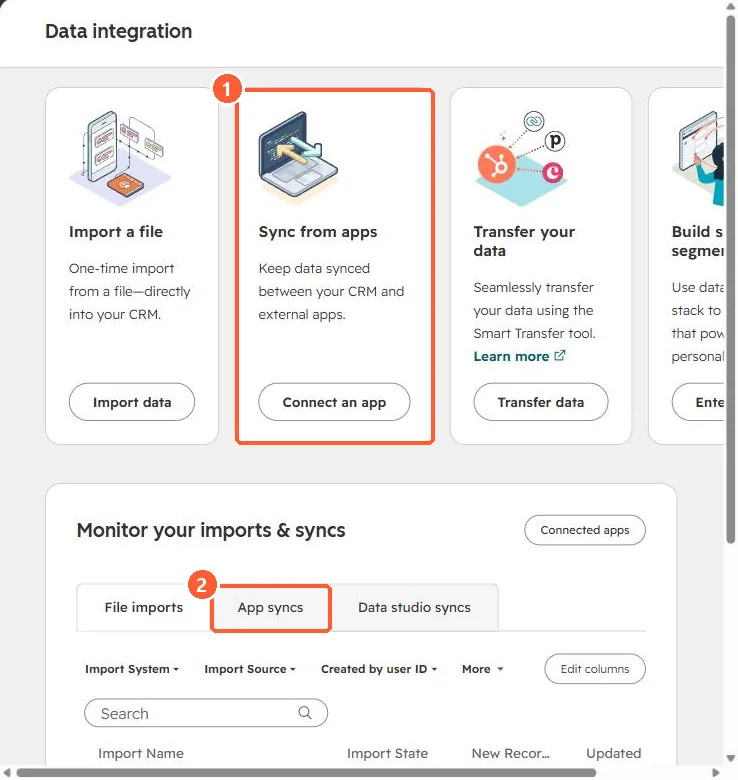
Data integration page with Sync from apps card and App syncs tab
Sync from apps (1) and App syncs (2).

2. Worth knowing

Check the KB's limitations list before turning on two-way sync with a large database.

3. Related

Data sync field mappings and calendar sync.

Sources

New field notes by email

One email when a new article publishes.

Still stuck?

If this did not fix it, the problem is probably specific to your setup. Book a call and we will look at it together.

Book a call with Sam