Quick tipHow toMarketing Hub

Phone number fields in forms: country codes and allowed characters

The form's phone field validates format. The country code counts toward length limits.

Subscription
All tiers
Permissions
Edit forms permission
Time
3 min · Beginner
Last verified

Short answer

HubSpot's KB: the default phone number field accepts numbers and common phone characters such as + - ( ) . x. When you set length restrictions, the country code is included in the count. In the updated editor, the field shows a country selector with the dialing code. For CRM-level formatting, see phone number property validation.

1. In the editor

A form in my demo portal: the phone field shows a country selector and dialing code.
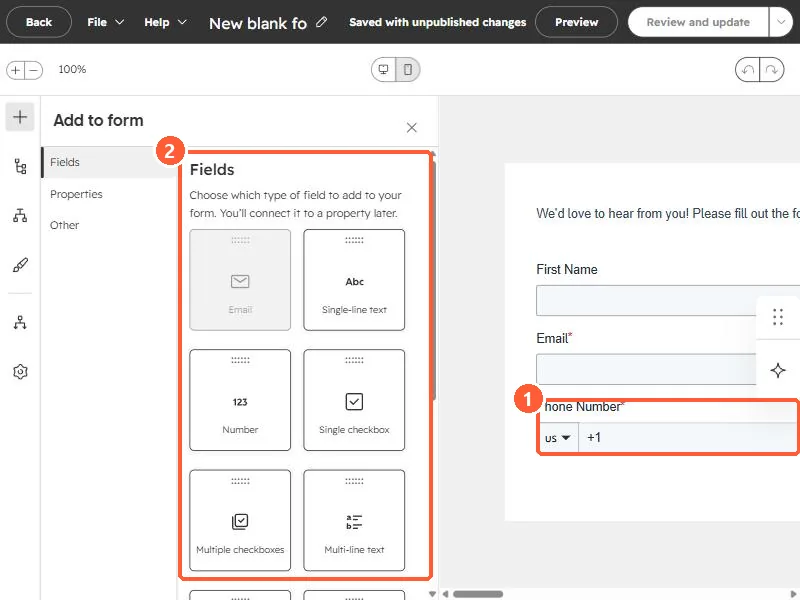
Form editor with the Add to form field panel and a phone field with a country selector
The phone field (1) and field types (2).

2. Clean data later

See phone number validation.

3. Related

Phone format duplicates.

Sources

New field notes by email

One email when a new article publishes.

Still stuck?

If this did not fix it, the problem is probably specific to your setup. Book a call and we will look at it together.

Book a call with Sam