Quick tipHow toSmart CRM

Auto-format phone numbers and text properties

Not enforced on forms, workflows or the mobile app.

Subscription
Check your subscription
Permissions
Super Admin or Edit property settings
Time
2 min · Intermediate
Last verified

Short answer

HubSpot's KB: set formatting on a property's Rules tab, for custom text properties and some default properties. Automatic formatting is not enforced on data entered through the mobile app, forms or workflows.

1. In HubSpot

The relevant screen in my demo portal.
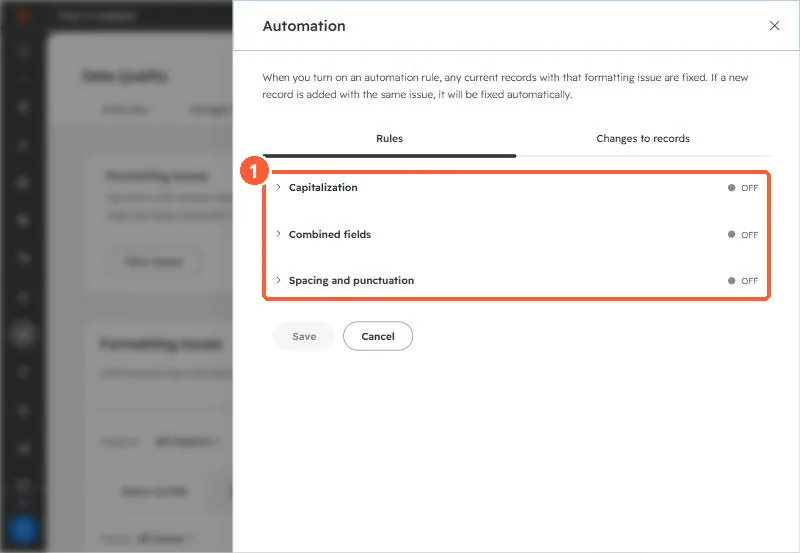
Formatting automation rules panel listing Capitalization, Combined fields, and Spacing and punctuation
The automation rules (1) cover name style issues, not phone numbers.

2. Worth knowing

Clean existing data separately, since rules apply to values as they're edited in the CRM.

3. Related

Phone number validation and phone formats and duplicates.

Sources

New field notes by email

One email when a new article publishes.

Still stuck?

If this did not fix it, the problem is probably specific to your setup. Book a call and we will look at it together.

Book a call with Sam