Date properties in workflows take a date or another date property, not free text.
Subscription
Professional or Enterprise (Marketing, Sales, Service or Data Hub)
Permissions
Workflows access
Time
3 min · Beginner
Last verified
Short answer
HubSpot's KB: for date picker properties, the Edit record action can choose a date or a date property, so you can copy one date property into another. You can only copy other date picker properties. To wait until a date stored on the record, use a Date property delay.
1. The action
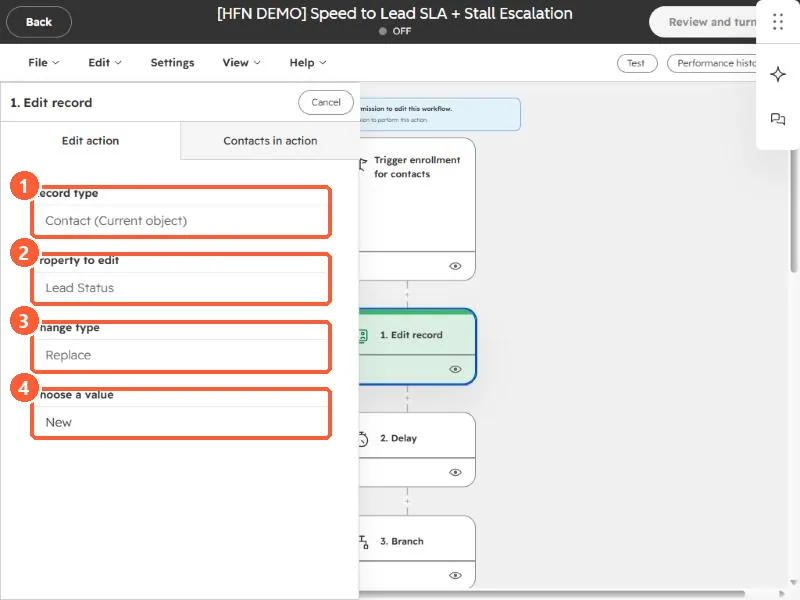
An Edit record action in my demo portal.
Record type (1), property (2), change type (3), and value (4).
2. Text to date
A text value in a date format needs converting first. See Format data.